
- AI Image GeneratorAI Character
- AI Video Generator
- AI Image ToolsAI Video ToolsAI Face SwapOther Tools
 AI Image Generator
 AI Character
 AI Art
 AI Video Generator
 Other Tools
- AI Image Generator
- AI Art
- AI Video Generator
- AI Video Effects
- AI Image Tools
- AI Video Tools
- Other Tools
- Start Now

7 Best Freepik Alternatives for AI Character Generator in 2026 (Free & Paid Options)
 SprakinsLast Updated: 2026/09/22
Why are more teams switching to a Freepik alternative for an AI character generator?
As we all know, Freepik has helped democratize creativity by providing a complete AI creative platform. However, when it comes to AI character generation, Freepik's limitations become more obvious: inconsistent character performance, high credit costs, and a learning curve for newcomers. That's why more teams are switching to a Freepik alternative for AI character generation.
This guide reviews the 7 best Freepik alternatives for 2026. We’ll look at their pricing, main features, limitations, and who each one suits best, so you can find the right tool for your character creation needs.
What Is Freepik?
Freepik launched in 2010 as a comprehensive AI platform covering images, videos, and audio, backed by more than 250 million stock assets and offering a complete creative ecosystem. More than 290 enterprise teams use this platform every day to manage their creative workflows.
To support the company’s long-term growth, Freepik rebranded as Magnific in April 2026.
It's Known for:
- Vector graphics: Supports AI, EPS, and SVG formats, allowing users to edit characters freely
- PSD templates: Layered files that make secondary editing easier
- High-resolution stock photos: Covers high-quality character images across various themes
- Icon resources: Its subsidiary Flaticon provides a massive collection of vector icons
- Character face locking: It allows the same character to switch poses, scenes, and art styles while keeping stable facial features
- Mockup models: Product presentation and showcase templates
- Audio and video: High-quality video editing, music, and sound effects for a whole character creation
Pricing Plan
| Plan | Individual(billed annually) | Team(billed annually) |
| Premium | $14.50/mo(240K credits/year) | $55/seat/mo(1.62M credits/year) |
| Premium+ | $33.75/mo(600K credits/year) | Pay-as-you-go |
| Pro | $82.50/mo(1.5M credits/year) |
Why Do Users Look for a Freepik Alternative?
Users searching for Freepik alternatives often face four aspects: character output quality, character drift across multiple projects, unaffordable pricing plans for each character, and a steep learning curve.
1. Generated Character Quality
Freepik supports multiple AI models, including Flux, Mystic, Seedream, and more. Each model has its own strengths: Mystic offers strong prompt understanding, Ideogram handles text generation well, and Seedream performs better with multilingual content.
However, the output characters depend heavily on prompt quality. Some users find that Freepik’s results sometimes look more like stock images than like those from specific artistic styles.
Compared to open-source tools like Stable Diffusion, Freepik is simpler to use but offers fewer ways to customize, like advanced prompt controls character detail. This is one reason many users look for better alternatives.
2. Consistency Across a Full Character
Freepik notes that reference images are used as visual guides rather than as exact templates. Its recommended workflow is to create characters separately and refine them with tools like Retouch.
Some users still find it hard to keep characters consistent when using reference images or custom-trained models. This makes it tough to use Freepik for projects that need the same character in several images.
3. Pricing and Credit Clarity
Freepik’s free plan lets you generate up to 20 AI characters per day for personal use. Paid plans start at $20 per month and go up to $110 per month. If you pay yearly, you save 25%, but unused credits don’t roll over. This setup can be confusing for newcomers.
It can also be found in some forums and on social media. Some users have reported issues with credit limits and billing, including faster-than-expected credit usage and restrictions on previously advertised features. While Freepik receives positive feedback on some platforms, pricing transparency remains a common concern among negative reviews. Therefore, looking for alternatives to Freepik seems to be an effective way to address these issues.
4. A Steep Learning Curve for Newcomers
Freepik may not be a beginner-friendly platform for those looking for creating AI characters. The Basic Plan imposes limits on the number of exports and includes watermarks on generated characters, and commercial use requires noting: "designed by Freepik". Furthermore, while the platform is powerful, integrating so many tools makes the interface somewhat complex, increasing the learning curve for newcomers.
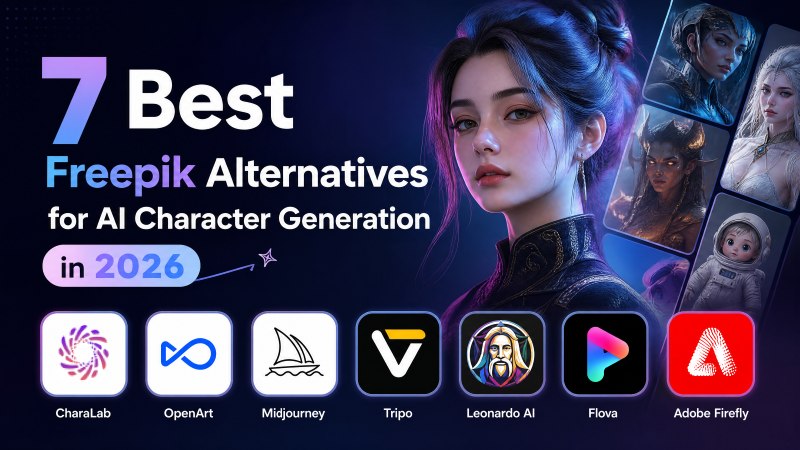
7 Best Freepik Alternatives for AI Character Generation in 2026
Here are the 7 best Freepik alternatives for AI character generation. Let's check these alternatives similar to Freepik, carefully ranked them from various dimensions.
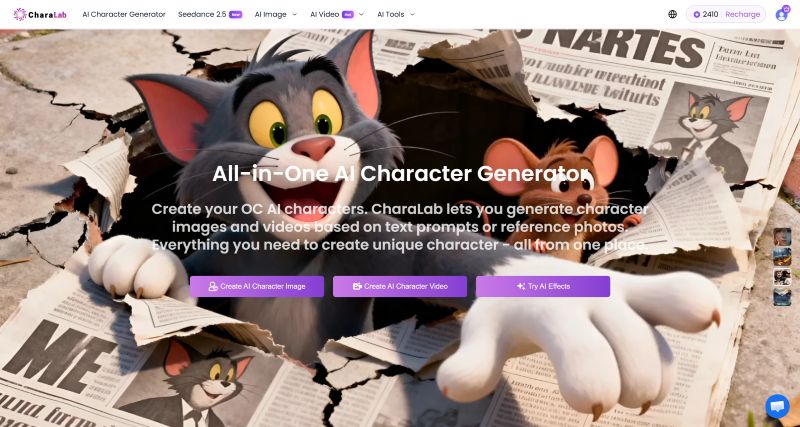
1. CharaLab: Best All-in-One Freepik Alternative for AI Character Generation
CharaLab is the best Freepik alternative for creators looking for an All-in-One AI character generator. It offers over 20 character styles, including anime, chibi, cartoon, and 3D, so you can easily create, refine, and export consistent characters for your whole project.
CharaLab also gives you a variety of AI tools, like a watermark remover, background changer, image enhancer, and AI lip sync. This makes it a good choice if you want to handle your whole workflow in one place without switching between platforms.
Core Features
- One-stop Platform: During character creation, you don't need to switch platforms regularly
- Multiple Character Styles: Popular characters are included with a consistent art style
- Sketch to Image: Upload a simple sketch, and it will automatically complete the details
- Anime to Real Life: Retains the original character's expressions and clothing features to generate lifelike characters
- AI Image Tools: Drag and drop to complete professional-level photo retouching. The free version also provides basic functions
- Beginner-Friendly Platform: Easy to use, requires no complex technology or high barrier to entry
- Free Credits Available: Daily free credits let you experience many features
Pros
- Various character styles to choose
- Export without limitation
- Consistent character
- Daily free credits
- Multiple image & video models
- Flexible aspect ratio
Cons
- Character library is not complete enough
- Generated outputs are stored for up to three days
- Creating videos may consume a lot of credits
Pricing
- Free credits for newcomers
- Basic plan: $9.99/mo
- Pro plan(most popular): $29.99/mo
- Premium plan: $99.99/mo
- Pay-as-you-go credit plan
Best For
- AI character creators
- Game designer
- 3D print
- Co-branding Marketing
- AI short film
Why Choose Charalab Instead of Freepik?
If you’re on a budget and want to try different character styles on an easy-to-use platform, CharaLab is a better choice than Freepik, which can feel too complicated.
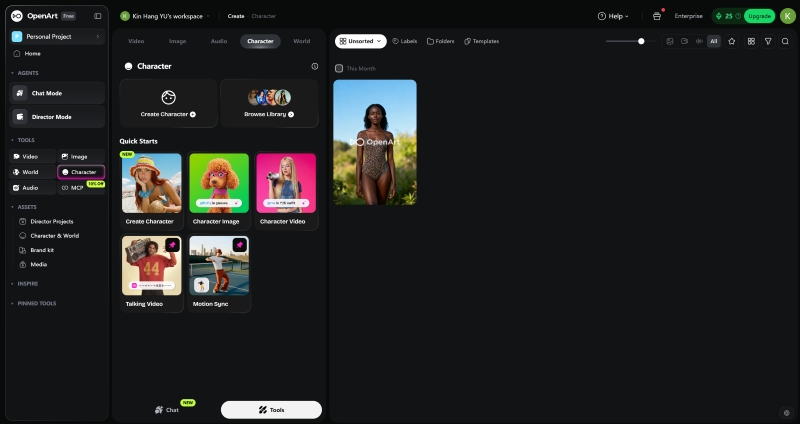
2. OpenArt: Best for Persistent Character Creation Online
OpenArt is a famous alternative platform that includes over 100 generative models spanning character image, video, audio, and even 3D-related characters. For each task, you can create a persistent character by selecting the most suitable model online, and then perform in-canvas editing and even upscale to 4K resolution, all using one unified credit and without leaving the workspace.
Unlike Freepik, OpenArt stands out for its strong character audio features. It offers voiceovers in over 30 languages, voice cloning, and original music generation.
Core Features
- Persistent Character Creation: Revise and refine the character until you're fully satisfied
- Vibe Directing: You can simply describe your ideas; it automatically completes scriptwriting, character casting, and video rendering
- Customized Model Training: Allows users to upload their own image datasets to train a custom AI painting model, generating images with fixed character designs
- Massive Prompt Library: It boasts tens of millions of AI prompts, helping creators quickly find inspiration and learn effective prompt-writing techniques to create more characters
- Character Locking and Consistency: Generated characters maintain a high degree of consistency in appearance and features under different scenes
- Steady Output: Character generation success rate is up to 70%
Pros
- 100+ models across image and video for character creation
- No copyright claim over generated characters
- Generated characters stay private by default
- 20+ OpenArt styles in character library
- Transparent billing principles
Cons
- Base plan credits do not roll over
- 2D character images only
- Characters' hands and fingers are prone to errors
- Turning realistic portraits into AI character are scared
Pricing
- Free plan is available for 40 credits
- Starter: $13/month for those who start experimenting with the magic of AI creation
- Plus: $27/month for unlocking deeper control and creating at scale
- Pro: $44/month for users who want to create a smoother workflow
- Wonder: 175/month for those who generate characters without limits
Best For
- Content Creator
- E-commerce and Marketing department
- AI sculpting
Why Choose OpenArt Instead of Freepik?
If you know how to model characters and want to create a consistent, popular character, OpenArt is worth trying. Freepik often struggles to keep characters consistent.
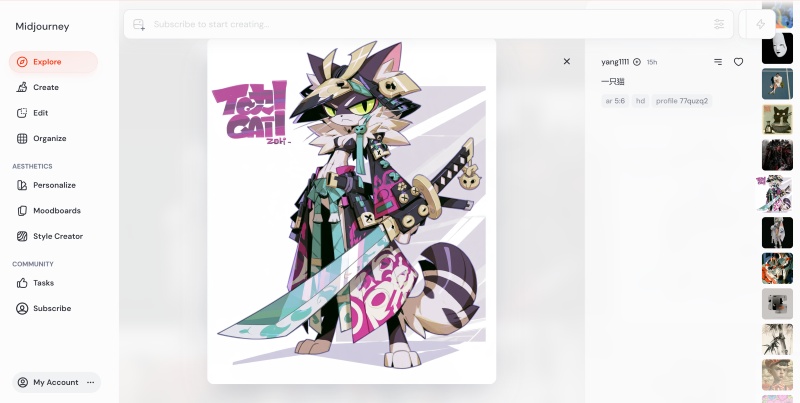
3. Midjourney: Best for Single AI Character Image Quality
Midjourney is a closed-source Freepik alternative for users seeking high-quality AI character images, and it also remains the industry benchmark for generating AI character videos.
One signature feature is that a single prompt can produce multiple character variants for selection. It also has a native Upscale function to export images up to 4K resolution.
Compared with Freepik, Midjourney has a style explorer, which is a visual way to discover new character style references and find inspiration for your creations.
Core Features
- High-quality Raw Characters Across All Scenarios: Whether it's realistic photography, anime illustrations, traditional Chinese ink painting, or commercial applications, it can generate high-quality characters with significant commercial value
- Powerful Character Style Control: Features such as sref (style reference) and p-value (personalized configuration) allow for stable locking of specific character styles
- Style Reference: Use the search bar and type things like anime, and the fuzzy search will show you corresponding style codes
- Permutations: A way to make many different prompts from just one prompt, which will give you more character inspiration
- Pan: Pan expands the canvas of your character in a direction you choose
- Zoom Out: Original character image gets smaller, while new content appears around it
Pros
- Chaos lets you add more variety to the character results
- Prompts offer you a wide range of creative ways for your character
- Each version has unique artistic styles
Cons
- Weak control over multiple characters appearing in the same frame
- It has no free pricing plan
- Discord operation leads to inconvenient character workflow
- Generated characters have strict content review
- IP-based characters are banned
Pricing
- Basic Plan: $8/month, limited generations(~200 images/month)
- Standard Plan: $24/month
- Pro Plan: $48/month
- Mega Plan: $96/month
Best For
- Graphic Design
- Illustrator
- Architecture and Interior Design
Why Choose Midjourney Instead of Freepik?
If you want high-quality single-character images and a tool used by many people, Midjourney is a good option. Just remember, it’s not free.
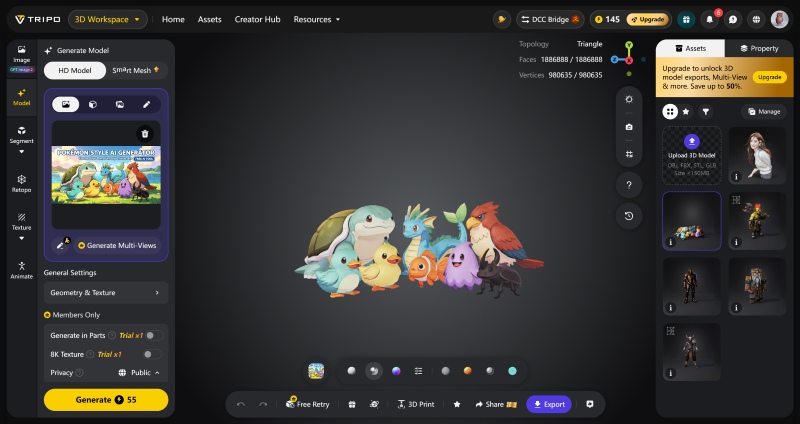
4. Tripo: Best Model Generator for 3D Characters
Tripo is a one-stop alternative to Freepik for AI-generated 3D character model generation; it was launched by VAST, an AI 3D large-model company.
Unlike Freepik, Tripo focuses more on 3D character assets. To truly bring your 3D characters to life, you often need powerful rendering and modeling software for final polish. However, Tripo can generate a high-quality 3D base model with PBR materials, which serves as a starting point for that process.
Core Features
- 3D Character Construction: Strong modeling capabilities ensure a more stable character
- Large Reconstruction Model: The unique LRM technology ensures high generation timeliness
- Character Workflow: From one image to dynamic character interaction
- SaaS + API: Embed the game engine and 3D character production pipeline via API
- Smart Mesh: Create game-ready characters with clean topology
- AI 3D Character Generator: Convert Text/Image into a stunning 3D Character
Pros
- Consistent 3D characters
- Compatible with Blender or Maya post-processing for the whole character
- Auto-rigging especially for creating 3D characters
- One-Click AI texturing for rich character detail
Cons
- Limited free quotas, high barriers to entry for paid character services
- If it's not optimized, using a free-plan character directly in the game will cause lag
- Some of the generated characters require manual post-processing
- Each 3D character takes more than 2 minutes to generate.
Pricing
- Free plan: best for exploring
- Pro plan: $12.94/month, best for frequent creation
- Max plan: $44.95/month, best for professional workflow
- Team Plan: $54.95/month, best for Teams & Studios
Best For
- Game developers
- 3D modeling
- Character creation
Why Choose Tripo Instead of Freepik?
Tripo is more professional than Freepik when it comes to 3D character rendering. If you’re having trouble with 3D projects, Tripo is a better choice.
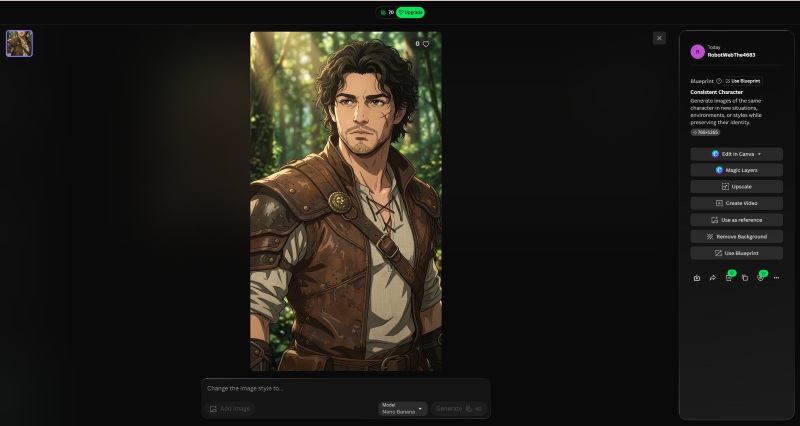
5. Leonardo AI: Best AI Creative Suite Acquired by Canva
Leonardo AI is a strong Freepik alternative made for creative professionals. It focuses on character design and scene illustration, supporting detailed textures and style customization. This helps speed up character design work and lower costs, making it a key tool for concept designers and creative teams.
Core Features
- Integrated AI Suite: You can find as many tools as possible to solve character problems
- Image and Text Separation: Separate visual elements from text to enable more flexible character composition and editing
- Canvas Editing: Edit, refine, remove, or replace elements in existing characters using AI-powered tools
- Multi-agent Collaboration: Coordinate multiple AI agents to support complex creative workflows and improve the efficiency of character creation
- Real-time Canvas: Draw a sketch character while AI renders the image in real time, providing a highly interactive experience
- Models & Training: Access a wide range of generative AI models and train custom Elements to maintain consistent characters
Pros
- Log in every day to receive 150 free tokens to enjoy basic character creation
- Easy to get started; no modeling skill required when producing a character
- Fully functional and highly controllable, especially in character detail
- Choose a Blueprint that fits your character needs
- Supports mutiple character image uploads
Cons
- Tokens do not accumulate
- No Chinese interface, not suitable for chinese character creator
- Premium character features require an additional fee to unlock
- Character editing in Canva only
Pricing
- Free tier: $0/month, perfect for casual creators
- Essential tier: $10/month, perfect for daily hobbyists
- Premium tier: $24/month, perfect for semi-professionals
- Ultimate tier: $48/month, perfect for professional creators
Best For
- Creative team
- Character concept designer
- Enterprise
Why choose Leonardo AI instead of Freepik?
Leonardo AI is now part of Canva. Its generative features, combined with Canva’s resources, can help spark new creative ideas. If you need inspiration for your character design, give Leonardo a try.
6. Flova: Best AI Agent for Characters Across Scenes
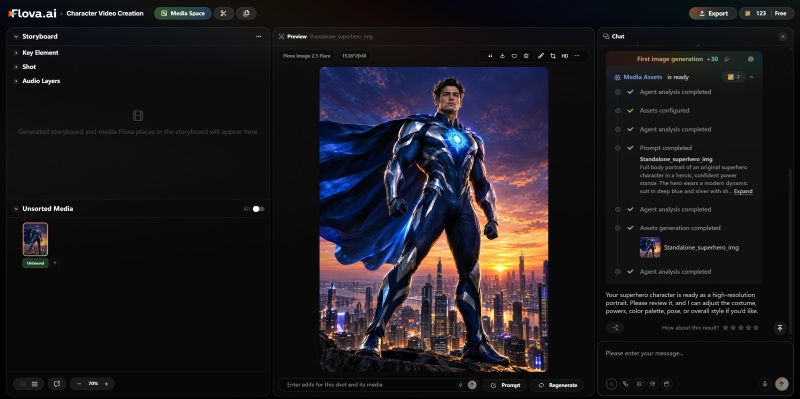
Flova is a unique Freepik alternative for an AI-native character creation agent platform. You can express your creative needs in natural language or upload text, images, videos, or audio for reference; then the agent will guide the characters from concept to finished product through multiple scenes and execution steps.
This process covers scriptwriting, storyboard design, image/video/audio generation, and editing timeline assembly; the agent will continuously adjust character details based on your feedback until the final character is obtained.
Core Features
- Character Skill Workflow: Creators can import their preferred character styles and production processes into Skills
- Local Modifications: Supports direct selection and modification of specific shots that are not satisfactory
- Multi-Agent Collaboration: The agent will automatically break it down into a script, storyboard, character illustrations, video clips, and voice-over
- Real-time Progress Tracking: The agent reads storyboards, assets, documents, and exports characters from the project, rather than relying on intuition
- Prompt Draft: Before getting started, the Agent can first produce an editable character prompt draft
- MiniMax Voiceover: This would be perfect for your characters' voice
Pros
- Powerful processing on character shade
- Multi-model integration to accelerate character landing
- AI agent workflow to keep character consistent
Cons
- High computational cost for each character
- Hard to understand users' demands
- Long character videos still have a sense of disjointedness
- It's hard to keep the character consistent
- The character process requires manual confirmation
- Export output with a watermark
Pricing
- Starter: $20/month, 2400 credits
- Basic: $50/month, 6500credits
- Plus: $100/month, 14000credits
- Pro: $200/month, 30,000credits
Best For
- AI short film producer
- Hobbyists
- Brand marketing
- Social media users
Why Choose Flova Instead of Freepik?
Flova’s AI agent is more advanced than Freepik’s, so it can deliver characters faster, especially when handling complex workflows.
7. Adobe Firefly: Best Industry-Leading Generative AI Tools (Free Download)
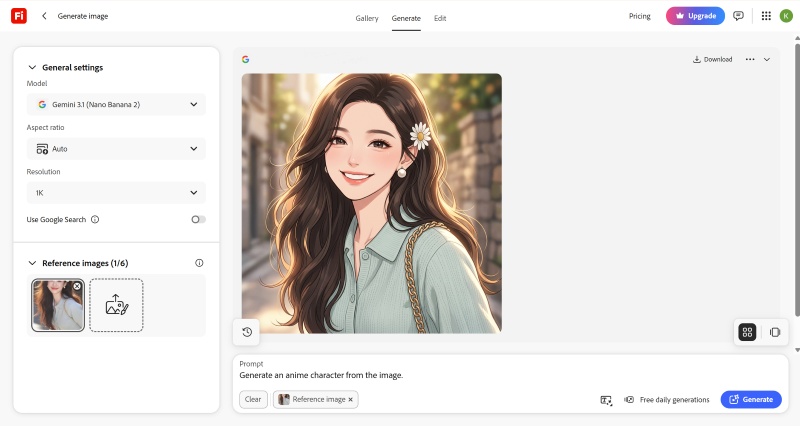
Firefly is a perfect Freepik alternative for users who want a free download, industry-leading, safe-enough character tool. Adobe states that it trains Firefly only on content where we have permission to do so, never on customers' character content or web-scraped material, and it compensates Adobe users whose work trains the model.
This year, Firefly added new creative tools to help you go from idea to finished character more quickly. Whether you’re turning a picture into a series of characters or editing many characters at once, Firefly’s AI Assistant can save you time.
Core Features
- Industry-standard: Powerful functions and a massive user community to support your character generation
- Copyright Security: Training data is 100% licensed from Adobe, eliminating character copyright disputes
- Layered Image Editing: Allows you to drag and rotate in your generated characters
- Character Frame Rate Control: Allows you to lock the character frame rate at the beginning and end of the video
- Bulk Create: Supports processing tens of thousands of character images at once
Pros
- Trained only on character content Adobe has permission to use
- Deep Creative Cloud integration for better character output
- Lower entry pricing than Freepik
- Allows google search results to inform generated characters
Cons
- Complex character processing
- Credits do not roll over; character creation will be costed
- Hard to keep character consistency
Pricing
| Monthly | Annual, billed monthly | Annual prepaid | |
| Standard | $9.99/mo | $8.49/mo | $83.99/yr |
| Pro | $19.99/mo | $16.99/mo | $167.99/yr |
| Pro Plus | $34.97/mo | $29.38/mo | $293.83/yr |
Best For
- E-commerce
- Video editor
- Corporate compliance and legal department
- Developer
- Brand asset management
- Professionals
Why Choose Charalab Instead of Freepik?
If you’re a professional character creator using Adobe Firefly, you’ll benefit from Adobe’s ecosystem, which is known for its seamless collaboration and easy integration between tools.
Adobe Creative Cloud apps like Photoshop, Illustrator, and Premiere Pro all work in similar ways, making it easier to switch between them.
The 7 Freepik Alternatives At a Glance
7 Freepik alternatives cover different target users and features:
| Alternative | Best for | Character Consistency | Free Trial | Similar to Freepik | Compatibility | Learning Curve |
| CharaLab | Charactercreator | √ | Yes | ⭐⭐⭐⭐ | Web | Low |
| Openart | AI sculpting | √ | Yes | ⭐⭐⭐⭐ | Web | Low |
| Midjourney | Graphic Design | × | No | ⭐⭐ | Web | High |
| Tripo | 3D modeling | √ | Yes | ⭐⭐⭐ | Web | Medium |
| Leonardo AI | Creative team | × | Yes | ⭐⭐⭐ | Web/iOS | Medium |
| Flova | Hobbyists | √ | Yes | ⭐⭐⭐ | Web | Medium |
| Firefly | Professionals | × | Yes | ⭐ | Web/iOS /Android | High |
Quick Summary:
- Best All-in-One for AI character creator: CharaLab
- Best for AI character sculpting: OpenArt
- Best for graphic design: Midjourney
- Best for 3D character: Tripo
- Best for creative items: Leonardo AI
- Best for hobbyists: Flova
- Best for professionals: Firefly
How to Choose the Best Freepik Alternative?
The easiest way to pick the best Freepik alternative is to focus on the four main problems when you are creating a character.
1. Pick by Your Character Need
First, figure out your main need when creating characters.
You might need:
- Occasional character images?
- Campaigns or series?
- Precise character detail control?
- Total adjustability?
- Character rendering?
- Rigging or Outfit?
- Character model construction?
For example, if you produce occasional character images, CharaLab or Midjourney performs much better than Firefly.
2. Budget Considerations
Credit-based pricing can be costly for users whose character needs fluctuate. Unused credits may go to waste during slower periods, while users with heavy workloads can quickly reach their limits during peak periods.
Costs can also add up if you need to subscribe to several AI character tools. Compared to this, CharaLab has free entry-level options, and adding models like Nano Banana or Seedance can make its higher-tier plans more affordable.
3. Character Drift Across Scenarios
The best AI character generator should keep your characters consistent in different situations.
You can test it in the following situations:
- E-commerce
- Gaming
- Outdoor settings
- Indoor settings
- LinkedIn profile
- Dynamic scenes
- Static scenes
- Social media imagery
If you need your characters to stay consistent across all these scenarios, a Freepik alternative like CharaLab might work better for you.
4. Character Image & Video Portability
Think about whether you need 2D-only output or the ability to move a character from image to 3D to video. Check:
- Does it export 2D images in the formats you need?
- Can it produce 3D models for game/AR/VR pipelines?
- Can it turn a character into video across scenes?
- Can you move assets between tools without losing the character's identity?
Tools that handle both images and 3D (like CharaLab and Tripo) or images and video (like Flova) are more flexible than those that only do one thing, especially if your character needs to appear in different formats.
FAQ
What's the Best Free Freepik Alternative?
It depends on what you need. OpenArt lets you create persistent characters online for free, and Leonardo AI gives you free daily tokens. If you want a 3D AI character generator, CharaLab and Tripo offer free credits to get started. The best free option depends on whether you care most about editing, persistence, or something else.
What Are Freepik's Main Limitations?
Freepik can feel too generic for specialized character work. It struggles to keep the same character consistent across images, its credit-based pricing can get confusing, and it’s hard for beginners to learn.
Which Tools Would Be the Most Similar to Freepik?
As we mentioned in the table:
| Alternative | Similar to Freepik |
| CharaLab | ⭐⭐⭐⭐ |
| Openart | ⭐⭐⭐⭐ |
| Midjourney | ⭐⭐ |
| Tripo | ⭐⭐⭐ |
| Leonardo AI | ⭐⭐⭐ |
| Flova | ⭐⭐⭐ |
| Firefly | ⭐ |
CharaLab and OpenArt are the most similar to Freepik tools.
What Are the Best Freepik Alternatives for Image & Video Generation?
For high-quality character images, try Midjourney, Leonardo AI, or Adobe Firefly. If you want videos with consistent characters, Flova is the best choice. For moving a character from an image to other formats, CharaLab handles the whole process.
Is CharaLab a Good Alternative to Freepik?
Yes, especially if you left Freepik for several reasons. CharaLab offers the same range of models and adds features Freepik doesn’t have, like a persistent character workflow, more character styles, built-in AI tools, and daily free credits. If you only care about single-character image quality, Midjourney is an easier switch.
How Much Does the Freepik AI Character Generator Cost?
Freepik (now Magnific) offers paid plans from $20 to $280 per month with 20,000–300,000 credits. Annual billing saves 25%, and plan credits do not roll over. The free plan limits users to 20 images a day for personal use and requires attribution.
Conclusion
In the end, the best Freepik alternative depends on what you need from a character generator. The right choice isn’t always the one with the most features, but the one that fits your workflow and helps you work faster and more consistently.
If you want an all-in-one AI character generator with lots of styles and tools, CharaLab is the most versatile option. It offers over 20 character styles and built-in AI tools like a watermark remover, background changer, and image enhancer.
If you only care about 3D, Tripo is the best Freepik alternative for 3D characters. It can generate high-quality 3D base models with PBR materials.
If you focus on AI agent workflow, OpenArt, Leonardo AI, and Flova can turn text, images, videos, and audio into persistent characters across multiple scenes and execution steps.
If you are working in the character generation field, Firefly and Midjourney are comparable intellectual tools that suitable professionals come to use.
Last but not least, there are many outstanding Freepik alternatives; all of them share one purpose: to accelerate your entire character generation workflow.
 10 Best Anime Characters: A Comprehensive Guide in 2026 >>How to generate the best anime characters? Follow this guide, and leads you to create your own AI anime character in 2026. >>
 10 Best 3D Character Creator Tools in 2026(Reviewed & Ranked) >>Which is the best 3D character creator in 2026? Simply follow the comparison of 10 tools based on features and pros/cons, to find the right tool for your work. >>
He is an experienced expert in AI character creation and has led the early design of many virtual character products. His step-by-step guides help creators build the AI character online from scratch. Here, he turns complex character prompts into different character styles, helping every human-machine collaboration get closer to the perfect character you imagine.