
- AI Image GeneratorAI Character
- AI Video Generator
- AI Image ToolsAI Video ToolsAI Face SwapOther Tools
 AI Image Generator
 AI Character
 AI Art
 AI Video Generator
 Other Tools
- AI Image Generator
- AI Art
- AI Video Generator
- AI Video Effects
- AI Image Tools
- AI Video Tools
- Other Tools
- Start Now

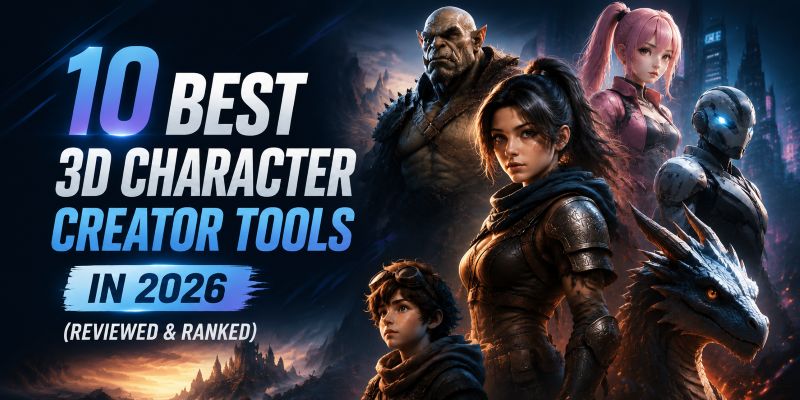
10 Best 3D Character Creator Tools in 2026(Reviewed & Ranked)
 SprakinsLast Updated: 2026/09/04
How to choose the best 3D character creator? With so many tools out there, it can be hard to know which one fits your needs, whether you want a quick AI-powered tool or a more advanced professional platform.
To make this clear, we found out how each tool performs in real workflows, from basic introduction to output quality, ease of use, and overall value.
This guide reviews the 10 best 3D Character Creators in 2026, including open-source tools, free online platforms, and paid software, so that you can quickly find the tool that fits your workflow.
Quick Summary: 10 Best 3D Character Creator Tools
Not all of the 3D Character Creator tools serve the same industry. Here's a quick way to narrow down your options based on what you need:
- CharaLab — All-in-one 3D Character Creator Free Online, No Modeling Skills Required
- ZBrush — High-detail Character Sculpting for Artists
- Mixamo — Simplifying the Steps for Anime Characters
- VRiod — Drawing-based & Free to Use
- Unity — Rapid Asset Accumulation for Rendering
- Autodesk Maya — Industry-standard 3D software
- Luma AI — Creative AI Agent for Workflow
- Meshy — Best for Game Development
- Thinkcard — Aligned to educational standards
- Blender — Open-source 3D Creation Suite Online
Why Users Need an AI-Powered 3D Character Creator?
Traditional 3D character creators can be time-consuming and often require modeling skills, which many creators find challenging. As AI technology advances, more users are turning to AI-powered tools to make 3D modeling easier in their daily work.
Here are several commonly mentioned reasons.
1. Need More Content Creation
AI's biggest strength in the field of 3D is its massive content output.
However, besides output quantity, users are also concerned about the following:
- How can I control the precision of AI generated content?
- How much it will cost of one single 3D character?
- What are the advantages compared to human-made ones?
- Are AI-powered characters highly homogenized?
For many professionals, using AI can boost work efficiency. But if AI tools produce lots of results without good quality, it can actually slow things down. That's why they look for tools that deliver high-quality output.
2. Want Lower Threshold to Entry
A 3D character creator tool should be suitable for freelancers, layman, and leisure users as well.
They will pay more attention to:
- Affordable monthly subscription plans
- Gentle learning curve
- Free plans available for occasional or small-scale projects
- Built-in wide range of models
Those who occasionally use tools in their lives, need a solution that is easy to learn and quick to get started.
3. Seek a Smoother Workflow
Making a full 3D character usually involves many complex steps and different tools. When these tools don't work well together, it can be frustrating. That's why a good AI tool should focus on:
- Eliminate frequent switching between multiple tools
- Cut repetitive manual correction work
- Shorten the whole production cycle drastically
- Lower technical operation barriers for all creators
4. Get More Inspiration
Running out of inspiration is definitely a disaster for designers and game developers in their creative process.
You can find in a 3D character creator:
- Text prompts to break creative blocks
- One-click access to diverse art styles
- Keep the generated assets for future use
- Provide more visual alternatives for comparison
Try using AI tools to help you find inspiration that matches your workflow.
10 Best 3D Character Creator Tools for Different Needs in 2026
We've ranked the 10 best 3D character creators based on their main features, pros and cons, and pricing. After reading this section, you'll have a better idea of which tools might work for you.
CharaLab — All-in-one 3D Character Creator Free Online, No Modeling Skills Required
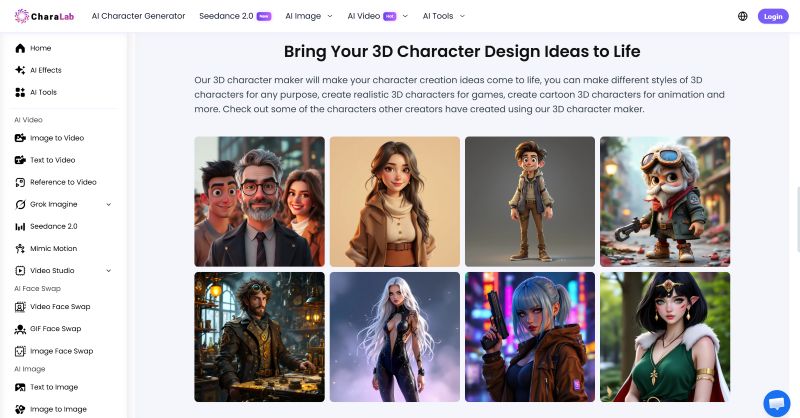
CharaLab is an all-in-one 3D character creator online platform that gives away free credits every single day to help you create 3D characters, and no modeling skills required.
Different from traditional tools, such as Blender or Unity, CharaLab lets you specify the styles you want, and the AI model will generate suitable 3D characters in minutes.
What sets it apart? Beyond 3D, CharaLab offers cartoon, cyberpunk, and 20+ built-in character styles; it perfectly embodies all the features of an AI character generator, covering almost every corner. Whether you are a beginner or a professional, this all-in-one tool is definitely your best choice.
Key Features:
- Online Tool without Code: Create characters online without any programming knowledge
- Diverse Character Types:Text & Image to 20+ character styles, including 3D, Animation, Chibi, Cartoon, NPC and so on
- A Wide Range of Models: Image, video, and audio models are displayed on the main page; choose the right one for your real needs
- Localized Outcomes: Generated outputs can be downloaded & viewed within 3 days, and support PNG, JPEG export
- AI Toolbox: This part includes watermark removal, image enhancement, and background removal
- One-stop Creation: Integrates character generation and broader image & video tools in one service
- Free Trial: Free daily credits allow you to experience before purchasing
Pros:
- Beginner-friendly for those who want to try for the first time
- No modeling skills required
- Extreme speed; each generated character does not exceed 35s
- Compatible with other software; no need to switch back and forth
- Daily free credits are available to support character creation
- Web-based platform
Cons:
- Not as precise as hand-crafted tools
- Limited free credits each day
- Massive character library results in hard-to-make decisions
Pricing:
- Free version is available with limited credits
- Pay-as-you-go credit system
- Credits can be kept for one yearBest for:
- Beginners who want to try it for the first time
- Game developers, animation producers
- E-commerce character display
- Short-film production
ZBrush — High-detail Character Sculpting for Artists
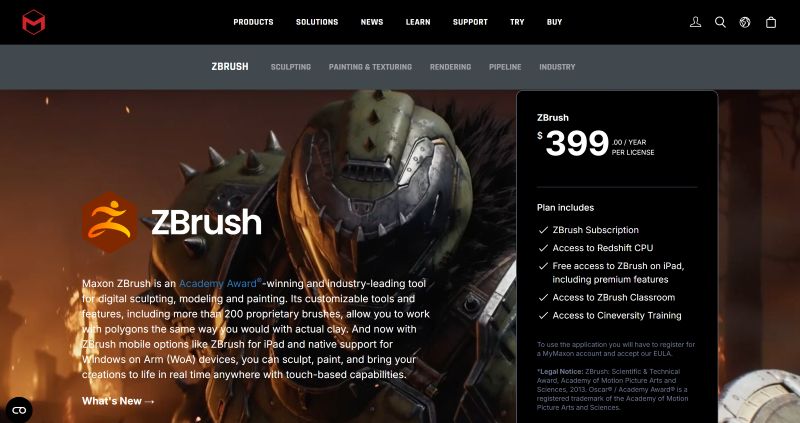
ZBrush is a high-detail 3D character modeling creator built specifically for artists, which is used across film and AAA games. With fluid, intuitive features, it allows you to model 3D shapes just like sculpting with real clay, loved by 3D artists worldwide.
Boasting over 200 proprietary customizable brushes, ZBrush allows artists to produce characters from rough shapes to microscopic surface details, from weathered spiked armor and rugged mechanical plating to skin texture, fur, fabric creases, and biological features.
Key Features
- High Precision in Character Detail: Especially in processing skin, background, and lighting of characters
- Dynamic Sculpting Brush System: Offers a natural, brush-like experience for digital artists that provides both creative flexibility and consistency
- Live Boolean: Adjust any part on a mesh and see it instantly impact your model before production
- PolyPaint: Paint on a high-quality surface easily with no complex preparation
- Redshift in ZBrush: Create stunning renders without the need for external software
Pros
- Available on desktop and iPad, making it easier to fit into your workflow
- With native support for Windows, you can sculpt on the go
- Vast learning community
- More than 200 proprietary brushes
Cons
- Hard to learn, unfriendly to news
- The subscription price is too high
Pricing
- Per license: $399.00/year
Best For
- Professional artists
- Game development
- 3D printing
- Industrial design
- Visual design
Mixamo — Simplifying the Steps for 3D Anime Character
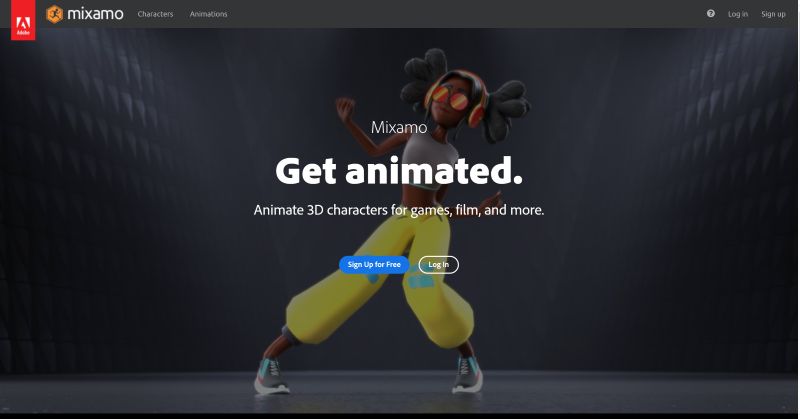
Mixamo, a 3D character animation creator owned by Adobe. Its core mission is empowering creative professionals to craft vivid, animated 3D characters. This platform delivers all essential assets required; creators no longer need to spend hours manually rigging anime models.
It simplifies most technical steps in the 3D character workflow, reducing complex rigging tasks into a few simple steps. Instead of juggling disjointed rigging and animation software, creators can focus purely on creative storytelling, rapidly iterating anime character performances and exporting fully animated assets straight to their target film, game, or illustration projects.
Key Features
- Simplify Workflow: Shorten the unnecessary steps during 3D character creation
- Automatic Character Rigging: Full control over rigging options for mobile performance
- Motion-Captured Animations: Thousands of lifelike full-body animations, captured by professional actors and redy to use
- Export for Any Format: You can export characters and animations in multiple formats
- Mobile-Friendly: Web-based that runs on phones, tablets and desktops
Pros
- Totally free without account restrictions
- Fully compatible with Unity, Blender, Maya, 3ds Max
- Web-based, no need to install an APP
- FBX export
- Do more with tools from Adobe, like AR, Dn, Substance
- Compatible with game and film production
Cons
- Import model requirements with strict rules (neck, face, body)
- Import/Export from other sources might lead to item loss
Pricing
- Completely free
Best For
- Indie Game Developers
- Beginners in 3D Modeling
- Animators
VRoid Studio— Drawing-based & Free to Use
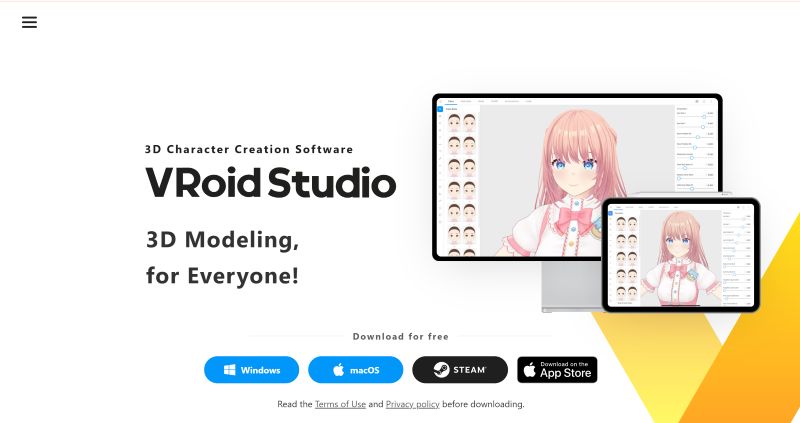
VRoid Studio delivers a fully free, drawing-based 3D anime character creator, perfectly complementing tools like VRoid Hub, VRoid SDK, and VRoid Mobile for end-to-end anime character accumulation.
Best of all, creators can tweak facial features, hairstyles, and full outfits, adjusting each preset’s shape, color, and design on the fly. Every modification renders instantly in real time, so you can refine your ideal anime character model step by step without waiting for long processing loads. What's more, users can pick a base clothing template or layer, then stack multiple garment templates to craft unique, layered silhouettes tailored to anime aesthetics.
Key Features
- Draw-based: Using this tool requires you to be equipped with basic drawing skills
- Paint Textures with the Pen Tool: Draw 3D models to create characters while adding textures in real time with the Apple Pencil
- Editable Parameters and Textures: With more than 10 dedicated parameters, freely customize shape, size, and even the smaller details
- Accessorize with Just One Click: Glasses, or even rabbit or cat ears; many accessories are stored in Vroid Studio
Pros
- No need to pay for commercial use
- Donwload from the Steam store
- VRM export
- Supports different versions
Cons
- Options relatively limited, not suitable for non-anime characters
- Its hair‑drawing and texture‑editing functions have a steep learning curve for new users
- It can be hard for those who have never drawn before
Pricing
- Freely use
Best For
- Anime avatars and VTubers
Unity — Rapid Asset Accumulation for Game Rendering
As the world’s leading game engine, Unity serves as the ultimate final-stage hub to assemble, game render, and deploy all 3D character assets. This platform boasts a massive, thriving global developer community and data-driven workflow systems that help creators refine choices based on real player feedback.
Unity’s constantly updated editor versions, including the currently available Unity 6.5, with enhanced 3D character performance, and the upcoming next-gen Unity 7, both of them deliver upgrades in rendering.
Unity's official site offers easy download and onboarding tools, making it simple for indie developers to gather their 3D materials and create polished, playable characters quickly.
Key Features
- Accelerate Game Asset Accumulation: Supported by the global game community to acquire character assets
- Develop in the Game Industry: You can develop a game character in Unity for any use case
- Deploy on Various Platforms: Deploy games across desktop, iOS, Android, and more to support your whole character creation workflow
- Growing Users: Reach the users who will love your game with precision to drive sustainable, predictable growth
Pros
- Cross-platform support
- A huge user community
- Real-Time 3D rendering
- Extensive asset ecosystem
- Global developer community
Cons
- Free for personal use, with paid plans available.
- Hard to learn, not user-friendly to news
- Limited photo rendering
Pricing
For games:
- Free for personal use
- Pro access: $210/month for experienced teams
- Custom pricing for ambitious teams solving complicated problems
For industry:
- Unity Studio: $799/year for quick and easy creation of interactive 3D experiences
- Custom pricing for industrial real-time 3D applications
Best For
- Indie developers
- Hobbyists and small indie teams
Autodesk Maya — Industry-standard 3D software
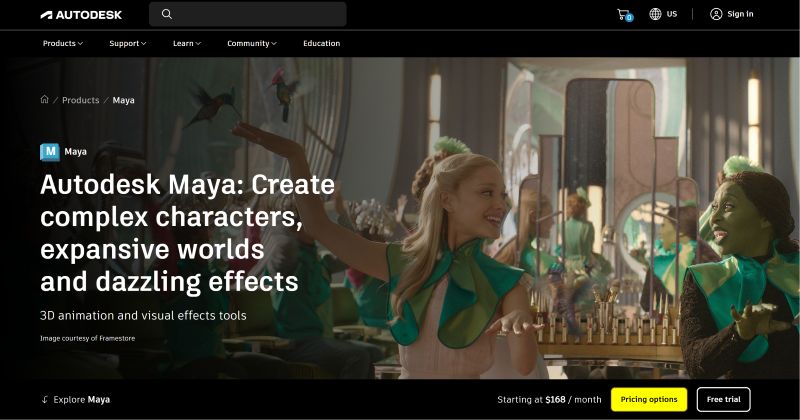
Autodesk Maya stands out as the globally recognized benchmark 3D character creation suite. It is packed with professional-grade animation and VFX toolkits tailored for high-end film and blockbuster visual media creation, called industry-standard.
Maya releases a new version every year to keep pace with AI development, and it is gradually becoming a core tool in the gaming, film, and advertising industries.
Key Features
- Industry Benchmark: Essential tools for some movies' scenarios all over the world
- Rigging and Animation: Bring your characters and worlds to life with the best-in-class rigging and animation toolsets
- Open Standards: Improve collaboration with integrated open standards like OpenUSD
- Effects: Create physically accurate simulations and effects like explosions and ocean surfaces with Bifrost
- Rendering: Whether stylized or realistic, create professional animation renders from hair and fur to intricate environments
Pros
- Strong simulation features for hair, cloth, and fluids
- Massive plugin to assist, widely adopted by film and game studios
- Affiliate program
- A global Community
- Money-back guarantee for monthly subscriptions
Cons
- Expensive subscription
- Steep learning curve
- Download and install required
Pricing
- Annual subscription: $168/month
- Monthly subscription: $255
- Flex: $99/33 tokens
- $2010/year for 1 user
- $6025/3 years for 1 user
Best For
- Animators across the film, TV, and game industries
Luma AI — AI Agent for Creative Work
Luma AI distinguishes itself by offering built-in intelligent creative agents that serve as efficiency amplifiers for design and production teams. These agents independently complete every link in workflows. They outline preliminary plans, generate raw assets, iteratively optimize drafts, and polish the 3D character while maintaining a unified project context throughout the process.
Recently, Luma Skills lets users package recurring design pipelines into reusable intelligent modules, while dedicated team workspaces centralize credit allocation and resource monitoring for group projects. This update significantly boosts work efficiency.
Key Features
- AI Agent Workflow: AI agents streamline the character creation process
- Shared Context: Context stays unified across every format and workflow
- Growing Scale: Expand what one team can produce and reach new levels of output
- Collaboration Between Teams: Teams and agents work in parallel to move faster under shared intelligence
- Creative Agents: Advancing work end-to-end with shared context across teams
Pros
- Deliver with Continuity at Scale
- Mobile-compatible capture workflow
- Teams and agents work together
- AI-powered Image and video generation
- Consistent creation
Cons
- Limited detail control compared with traditional 3D software
- Non-professional, less suitable for professionals
- Requires back-and-forth revisions
Pricing
Monthly:
- $30/month, 10,000 credits
- $90/month, 40,000 credits
- $300/month, 150,000 credits
Yearly:
- $25/month, 10,000 credits
- $75/month, 40,000 credits
- $250/month, 150,000 credits
Best For
- Environment artists
- Technical artists
Meshy — Best for Game Development
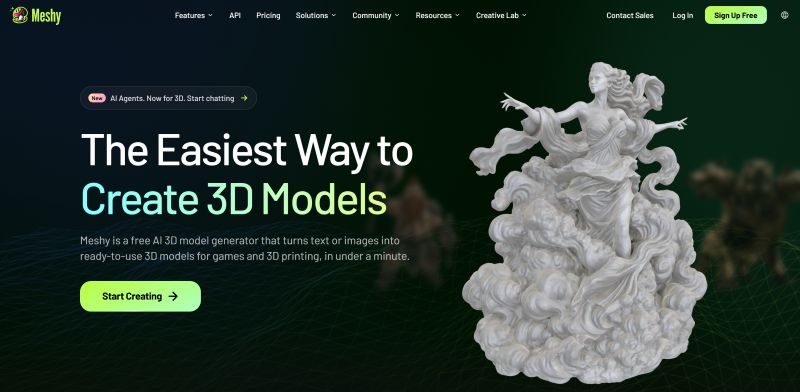
Meshy provides AI 3D character creation for game development, standing out as a pre-production tool that fills the gap between early visual concept design and professional engine integration. Similar to CharaLab, Meshy covers the same function as CharaLab as. It converts text prompts and images into 3D character that game developers use as turn reference photos and hand-drawn sketches,and turns them into high-fidelity models.
Compared to traditional 3D software such as Blender and Maya, which require professional skills, Meshy emphasizes AI-driven rapid generation and creative iteration, making it suitable as a transfer tool in the process of game character design, prototyping, and 3D character modeling.
Key Features
- Friendly to Game Players: Generated 3D characters are typically ready for games
- The Only AI Optimized for 3D Printing: Meshy's outputs are consistently manifold and slice-ready, making them ideal for 3D models
- One-Click Physically Based Rendering: Automatically produces a complete set of PBR maps without any manual assistance
- Low Poly for Real-Time Performance: Low Poly Mode gives you clean topology with a poly count you control
- API Capabilities: The API is continually evolving to create the most seamless experience for users
- 3D Agent Workflow: You can create 3D characters from kinds of reference through AI agent
Pros
- FBX, OBJ, GLB export
- 3D file converter
- Online 3D viewer
- STL repair
Cons
- Less precision in character detail
- Different prompts lead to different outputs
- Only for 3D game characters
Pricing
For individuals(billed monthly):
- Free plan: $0/mo
- Pro plan: $10/mo
- Premium plan: $20/mo
- Ultra plan;$50/mo
For teams(billed monthly):
- $35 for the first month
(40% off any annual plan)
Best For
- Toy design
- E-commerce
- Interior deign
- 3D printing
Tinkercad — Aligned to Educational Standards
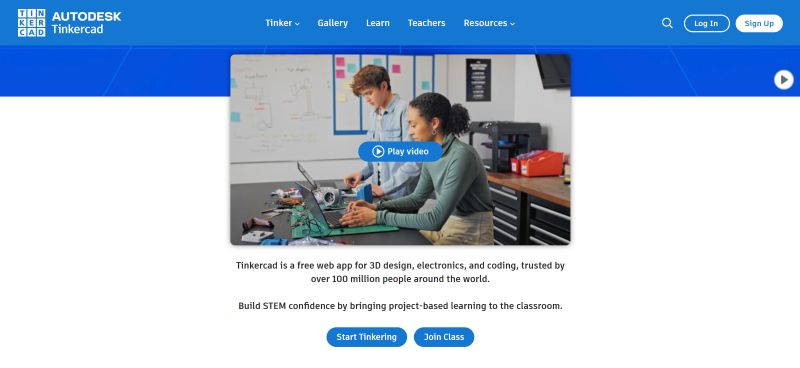
Tinkercad is a free web app for 3D design and electronics, which has gained recognition from more than one hundred million global educators and learners for its curriculum-compliant design. This platform is built entirely on standardized STEM teaching frameworks, offering project-driven learning paths that perfectly align with classroom teaching requirements.
The tool lowers the technical threshold for adolescent learners without compromising curriculum rigor. With its student-friendly operational logic and education-first positioning, Tinkercad serves as a beginner-oriented gateway to 3D creation, forming a complete, progressive learning chain from classroom to practice.
Key Features
- Meet Educational Standards: Tinkercad comes with detailed tutorials
- Learn Across Practice: Hands-on projects build confidence, persistence, and problem-solving skills
- Suitable for Everyone: No advertisements and relatively safe to benefit kids as they grow up
- Spark Your Inspiration: Communicate with your teacher, classmate, or friend to seek more imagination
- Cultivate Coding Skills: Bring your 3D character to life with computer programs
Pros
- Ad-free and kid-safe rules to protect privacy
- A Complete Workflow for Assignments
- Quantify and Visualize Your Results
- Bringing Motion to Life
Cons
- Hard to complete complex projects
- Not Suitable for Professional Production Pipelines
- Not ideal for individual learning
Pricing
- Totally free
Best For
- Educators and students
Blender — Open-source 3D Creation Suite Online
Blender stands out as a permanently free, open-source 3D online toolkit governed by the GNU GPL license. Distinct from paid commercial modeling platforms, its source code is collectively managed by global developers, granting all users unrestricted rights to operate, modify, and redistribute the program without recurring subscription fees.
Equipped with integrated modules for modeling, rendering, animation, and asset management, this open-source platform provides a complete post-AI production workflow. After generating base assets using rapid generative tools such as CharaLab, creators can import meshes into Blender for deep refinement, procedural texture adjustments, and final rendering.
Key Features
- Open-source Tool: This means it's not only free but also fully open-source.
- Cycles Render Program: You can render characters in real-time and keep them realistic
- Modeling and Sculpting Skills: A comprehensive array of modeling tools can be used for character detail processing
- Visual Effects: Allowing you to import raw footage, track the footage, and mask areas in your 3D scene
- Animation tools: Built-in high-quality animation tools make it easier for short film production
- Turning 2D into 3D: Make it possible for artists to draw 2D lines and color directly with a 3D view
Pros
- Free and open-source
- Unified functions in one application
- Auto and manual tracking
- Real-time viewport preview
- CPU & GPU rendering
Cons
- Steep learning curve for newcomers
- Extensive built-in features, confusing UI
Pricing
- No extra fees
Best For
- Specialists
- Films
- Video retouching
- Education in VR
At-a-Glance Comparison of Top 10 3D Character Creators
Still not sure which 3D character creator is best for you? The comparison table below can help you decide.
| Tool | Best for | Compatibility | Free Trail | AI-powered | Easy of Use |
| CharaLab | Small-scale corporate & individuals | Web | Yes | √ | ⭐⭐⭐⭐⭐ |
| ZBrush | Professional artists | Windows /macOS | No | × | ⭐⭐ |
| Mixamo | Animators | Web | Yes | × | ⭐⭐⭐ |
| VRoid Studio | Anime avatars and VTubers | Windows/macOS/App | Yes | × | ⭐⭐ |
| Unity | Hobbyists and small indie teams | Web | Yes | × | ⭐⭐⭐ |
| Autodesk Maya | Film producer | Windows / Linux /macOS | No | × | ⭐⭐ |
| Luma AI | Enviroment/Technical artisits | Web | No | √ | ⭐⭐⭐ |
| Meshy | Game development | Web | Yes | √ | ⭐⭐⭐ |
| Tinkercad | Educator and students | Web | Yes | × | ⭐⭐⭐⭐ |
| Blender | professionals | Windows /macOS/ Linux | Yes | × | ⭐ |
- Best Overall Tool: CharaLab
If you are looking for a tool that delivers more outputs, offers a lower barrier to entry, provides a smoother workflow, and sparks more inspiration, CharaLab might be the best one solution.
- Best for Artists: ZBrush & Luma AI
- Best for Animation: Mixamo & VRoid Studio
- Best for Individuals: Unity & Blender
- Best for Short Film: Autodesk Maya
- Best for Game Development: Meshy
- Best for Education: Tinkercad
How to Choose the Right 3D Character Creator?
Choosing the right 3D character generator is far more difficult than learning how to create 3D characters, as the choice of tool must take into account business requirements, application scenarios, and the target devices before one .
1. Find Out What You Actually Do
Take time to really understand your project.
You should know:
- What is the project for?
- What is your budget?
- Which aspects of the 3D character design do you need to cover?
- Do you need to use AI for assistance?
For example:
Developers tend to use Meshy & VRoid Studio
Hobbyists may prefer CharaLab or Unity
Artists lean more towards ZBrush and Luma AI
2. Gentle Learning Curve & Affordable Price
The accessibility of a tool can also indirectly reflect its market penetration.
You might frequently ask:
- Should I pay annually or monthly?
- How long will it take to master a tool?
- Should I try out the free trial first?
- Are there any additional costs?
One simple tool with clearly marked pricing is always popular for many people.
3. Integrated Functions in One Service
The best 3D character creator must have highly powerful and convenient features.
It requires:
- Integrated all kinds of character styles
- Covers the entire process of character creation
- No switching back and forth between different tools
- Supports multiple result report formats
Choosing the best tool can help you save time and boost your productivity.
4. A ceaseless stream of creative imagination
Creators need tools that keep offering new ideas and inspiration.
Here is what you need to keep in mind:
- Both text and reference images can serve as sources of inspiration
- Record and download sudden flashes of inspiration in 3D character tool
- Compare versions featuring various characters
For many creators, the issue is not a lack of professional skills, but a lack of inspiration.
FAQs
Is 3D Character Creator Free to Use?
There are some differences in pricing standards across tools. CharaLab, Unity, Blender,and more have their own free trial for new users, which allows them to use different functions and models to produce outputs. Also, CharaLab's credits are very cost-effective compared to other tools listed in this article.
How Long Does It Take to Make a 3D Character In CharaLab?
Just a few seconds, though exact times may vary depending on your prompt and internet connection. Usually, each generated 3D character does not exceed 35s.
Is There a 3D Animation Video Generator?
Sure. Video generation relies on LLMs for assistance. The built-in Seedance video model feature in CharaLab brings your 3D characters to life, allowing you to handle the entire process in one step without switching to other tools.
What is the Best Free 3D Character Creator for Beginners?
If you are looking for a free and beginner-friendly option, consider:
- CharaLab
- VRoid Studio
- Tinkercad
No modeling skills are required for any of them; it will be nice for newcomers. But the best one? I'd prefer CharaLab, the only AI-powered tool among them.
Which 3D Character Creator Is the Best for DND?
Meshy is the best one for game development; CharaLab also contains styles for D&D characters. If you have plenty of time, try them all. You might find a unique experience.
Conclusion
In the end, the best 3D character creator depends on the kind of project you're working on.
If you aim to pursue a professional career in 3D character creation, mastering Blender and Unity is essential. And if you are an artist, ZBrush and Luma AI align well with your career path. Animation creation requires attention to finer details, an area where Mixamo and VRoid Studio excel. Filmmaking calls for the use of tools like Maya. Meshy and Tinkercad are the respective tools suited for gaming and education.
If you're looking for a free online AI-powered 3D character generator, CharaLab stands out with over 20 character styles, fast generation speeds, and plenty of inspiration. Whether you need 3D characters for e-commerce, game design, short films, or other projects, CharaLab has you covered.
He is an experienced expert in AI character creation and has led the early design of many virtual character products. His step-by-step guides help creators build the AI character online from scratch. Here, he turns complex character prompts into different character styles, helping every human-machine collaboration get closer to the perfect character you imagine.