 AI Image Generator
 AI Character
 AI Art
 AI Video Generator
 Other Tools

- My Creations
- Explore More
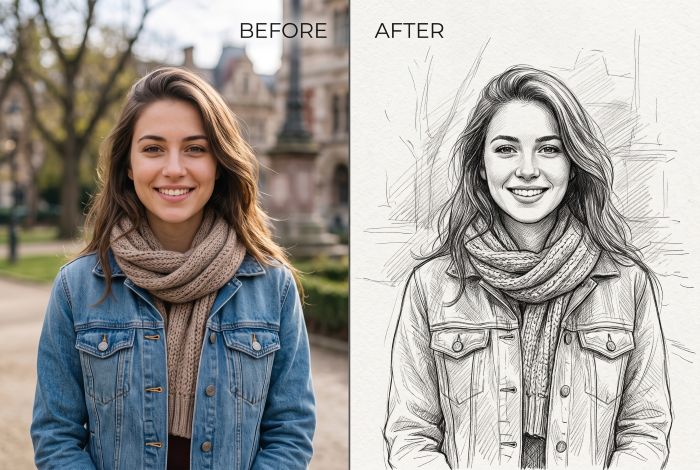
Turn Any Photo into a Hand-Drawn Sketch Online
Bring your favorite snapshots to life with the authentic feel of pencil, charcoal, and ink. Whether you need clean line art for a character concept, a moody charcoal portrait, or a soft watercolor illustration, convert your photos into custom sketches in seconds—complete with smart background control to keep the focus right where it belongs.
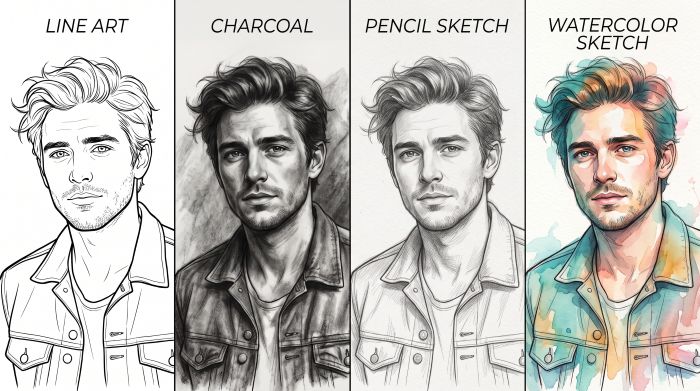
Explore 10 Hand-Drawn Styles, from Classic Graphite to Vivid Watercolor
Every image has its own mood, and one generic sketch filter never fits all. AICharalab offers an expansive suite of genuine drawing aesthetics—including crisp Line Art for clean contours, rich Charcoal for dramatic depth, detailed Ink Sketches, and delicate Watercolors. Switch between classic pencil shading, vibrant colored pencil strokes, and stylized comic illustrations with a single tap, achieving the tactile nuance of physical media without touching a sketchbook.
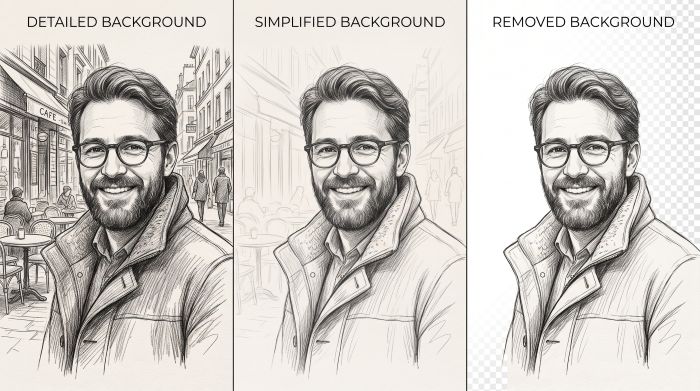
Take Creative Control with Smart Background Customization
The background can make or break an artistic sketch. Instead of cluttering your line work with noisy room details or busy streets, tailor the composition to your exact needs. Choose Detailed to preserve ambient surroundings with delicate cross-hatching, switch to Simplified for a soft, minimalist backdrop that keeps subjects sharp, or select Removed to extract clean transparent portraits ready for posters, stickers, and avatar designs.
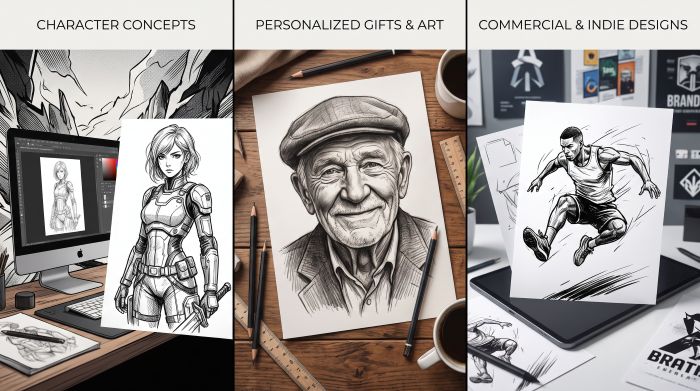
Designed for Creators: From Character Concepts to Custom Prints
Bridge the gap between raw photography and creative illustration. Turn portrait snapshots into personalized anniversary gifts, transform game and cosplay photos into ready-to-color manga panels, or sketch out early concept art for storyboards and indie game assets. Whether you are an illustrator sourcing reference lines, a hobbyist creating digital avatars, or a designer prepping vector assets, get production-ready sketch assets in seconds.
How to Turn a Photo into a Sketch in 3 Simple Steps
Step 1: Upload Your Image
Drag and drop your picture or click to select a file from your device (supports JPG, PNG, JPEG, and WEBP up to 4.7 MB). Clear portraits, pet snapshots, and character shots work best.
Step 2: Pick Your Style and Background
Choose from 10 artistic drawing mediums—such as Pencil Sketch, Line Art, Charcoal, or Watercolor. Then balance your composition by setting the background to Detailed, Simplified, or Removed.
Step 3: Generate and Download
Hit Generate to craft your hand-drawn sketch in seconds (uses 3 Credits). Preview the fine pencil lines and texture details, then save your high-resolution artwork instantly.
Frequently Asked Questions
What types of images produce the best sketch results?
Clear portraits, pet photos, architecture, and character art with defined lighting and good contrast deliver the sharpest results. While the tool handles complex scenes well, high-resolution original shots allow the pencil strokes, hatching, and ink contours to render with authentic depth.How do the different background settings work?
You can fine-tune your composition using three options before generating:
● Detailed: Keeps your environment intact with complementary sketch lines and subtle cross-hatching.
● Simplified: Softens and minimizes background clutter so your main subject stands out cleanly.
● Removed: Completely clears the backdrop, giving you an isolated subject sketch perfect for avatars, stickers, and design projects.What file formats and sizes are supported?
You can upload JPG, PNG, JPEG, and WEBP image files up to 4.7 MB.How many credits does it take to convert a photo to a sketch?
Each sketch generation uses 3 credits. You can experiment with different styles—like switching from Charcoal Sketch to Watercolor or Line Art—with transparent, pay-as-you-go pricing.Can I use the generated sketches for commercial projects?
Yes. You retain ownership of the sketches you create on AICharalab. Feel free to use them for commercial designs, merchandise, book illustrations, marketing campaigns, or personal social media profiles.Does the sketch converter keep my original image private?
Absolutely. Your uploaded pictures and generated sketch artwork are processed securely and never shared publicly without your permission.