
 AI Image Generator
 AI Character
 AI Art
 AI Video Generator
 Other Tools

- My Creations
- Explore More
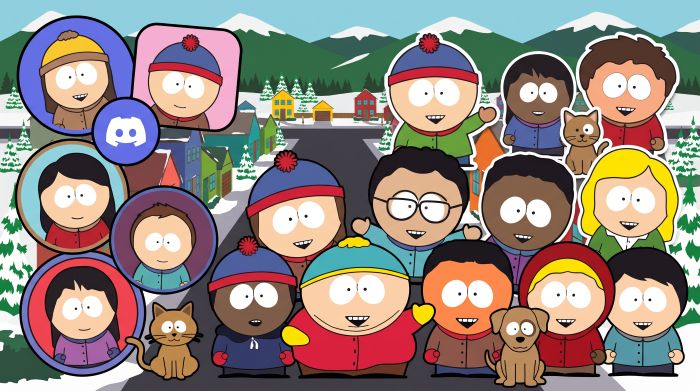
AI South Park Avatar Creator: Turn Photos into Cartoons
Turn your selfie, pet, or original character into a classic 2D cutout cartoon in seconds. Upload any photo to our AI South Park character generator, add optional outfit or scene details, and download your custom PFP right away.
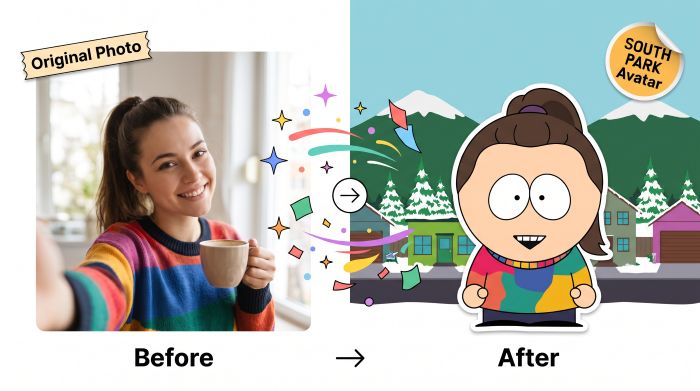
Turn Any Photo into a South Park Avatar in One Click
Skip tedious manual dress-up sliders. Simply upload any selfie, couple photo, or pet picture to our South Park Avatar Creator, and our AI automatically translates your hairstyle, glasses, outfit colors, and expression into iconic 2D construction-paper cutout art with true likeness.
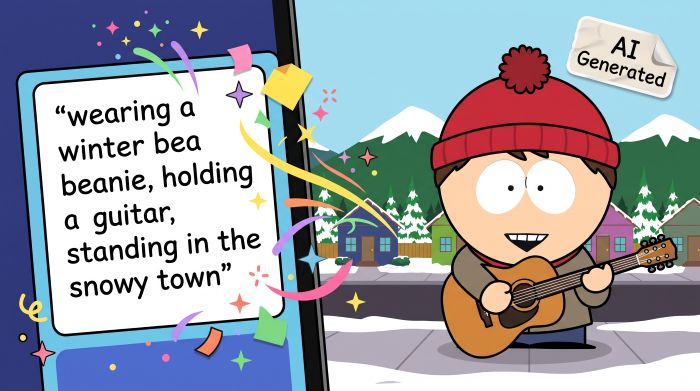
Customize Outfits & Scenes with Optional Prompts
Want to swap your outfit, add a winter beanie, or change your facial expression? Type a few simple words in the optional prompt box, and our South Park character generator will tailor accessories, poses, and snowy mountain town backdrops while keeping the classic 2D style locked in.
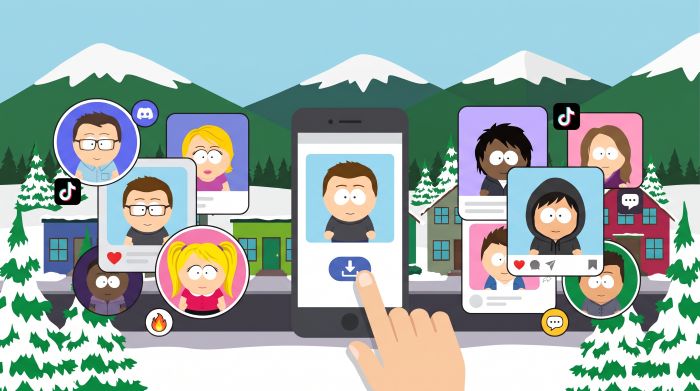
Download High-Res Cartoons for Social PFPs & Memes
Export crisp, ready-to-post cartoon portraits sized perfectly for Discord, TikTok, X (Twitter), and YouTube profile pictures. Whether you are creating a funny PFP for yourself or designing an original character (OC) for fan art, you get clean, shareable results in seconds.
How to Make a South Park Avatar in 3 Easy Steps
Step 1: Upload Your Photo
Click or drag a clear front-facing photo into our South Park Avatar Creator. Portraits, couple selfies, and pet pictures in JPG, PNG, or WEBP format (up to 4.7 MB) all work great.
Step 2: Add Optional Details
Leave the prompt box blank for an instant automatic conversion, or type a few words to customize outfits, winter hats, expressions, or backgrounds with our AI South Park character generator.
Step 3: Generate & Download Your Avatar
Hit the Generate button and watch your 2D cutout cartoon character appear in seconds. Preview your new avatar on the right and download it straight to your device for Discord, TikTok, or X.
No credit card required
Frequently Asked Questions
How does this AI South Park maker turn my photo into a cartoon?
Our South Park Avatar Creator analyzes the facial features, hairstyle, glasses, expression, and outfit colors in your uploaded photo, then redraws them in classic 2D flat construction-paper cutout style. You don't need any drawing skills or manual dress-up sliders—just upload an image and let the AI handle the transformation.Do I need to write a prompt to use the South Park character generator?
No, the prompt box is completely optional. Leaving it blank gives you a direct, faithful cartoon conversion of your photo. If you want to customize your look—such as adding a winter beanie, changing your outfit, or designing an original character (OC)—simply type a few descriptive words before clicking generate.What kinds of photos work best with this avatar creator?
Clear, well-lit, front-facing portraits deliver the sharpest likeness, and the tool also works great with couple selfies and pet photos (like cats and dogs). We support JPG, PNG, and WEBP files up to 4.7 MB.Can I use my generated cartoon avatar on social media?
Yes! You can download your finished 2D cartoon portrait and use it as your profile picture (PFP) or banner on Discord, TikTok, X (Twitter), Instagram, and YouTube. Each generation costs 3 credits and takes just a few seconds to complete.Is AICharalab affiliated with the official South Park show?
No. AICharalab's South Park Avatar Creator is an independent AI art tool inspired by classic 1990s 2D construction-paper cutout animation styles. All generated images are meant for personal avatars, fan art, and parody entertainment, and are not endorsed by or affiliated with the official franchise.