
 AI Image Generator
 AI Character
 AI Art
 AI Video Generator
 Other Tools

- My Creations
- Explore More
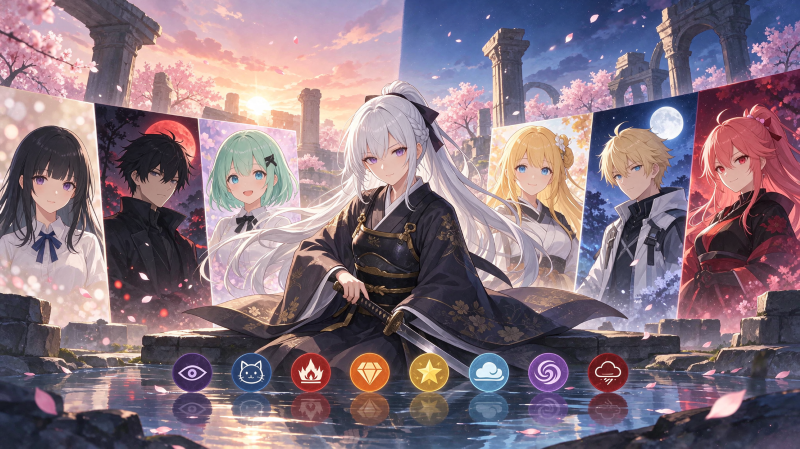
Anime PFP Maker: Turn Photos & Ideas into Custom Avatars
Stand out across your favorite social platforms with a profile picture built around your vibe. Describe your dream character or upload reference images to blend features, switch between 8 iconic anime styles, and download clean 2K icons without lifting a stylus.
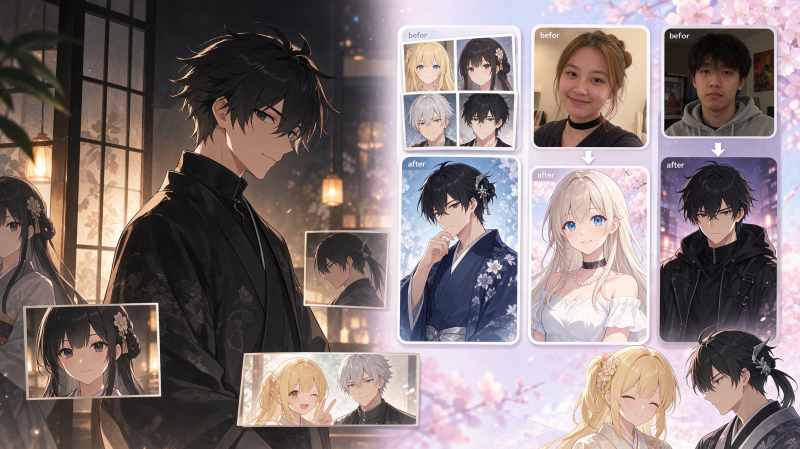
Blend up to 10 Reference Photos with Text Prompts
Whether you want to turn your own selfie into an anime character or combine traits from multiple inspiration images, our Anime PFP Maker handles up to 10 reference uploads at once. Pair your photos with a detailed prompt to customize hair colors, outfits, expressions, and lighting while keeping key facial features recognizable.
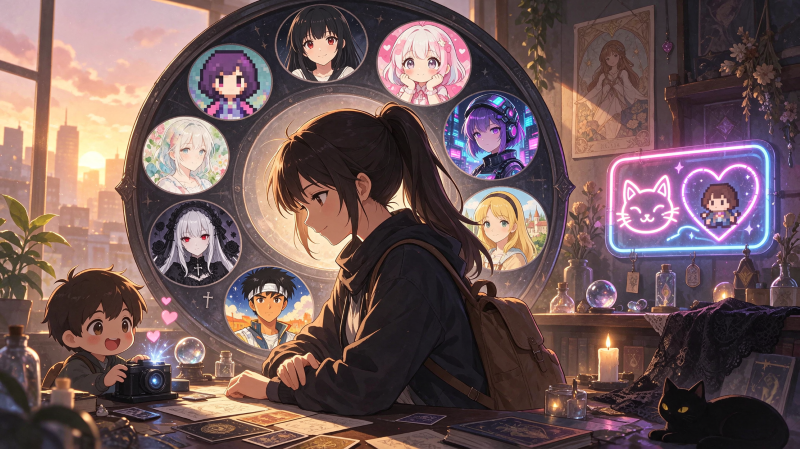
Explore 8 Curated Anime Aesthetics from 90s Retro to Cyberpunk
Match your profile picture to your exact mood or server theme. Switch effortlessly between Classic Anime, Chibi Cute, Cyberpunk Neon, Ghibli Warm, 90s Retro, Dark Gothic, Watercolor, and Pixel Art. Instead of wrestling with complex style tags, one click gives your avatar authentic linework, color palettes, and shading.
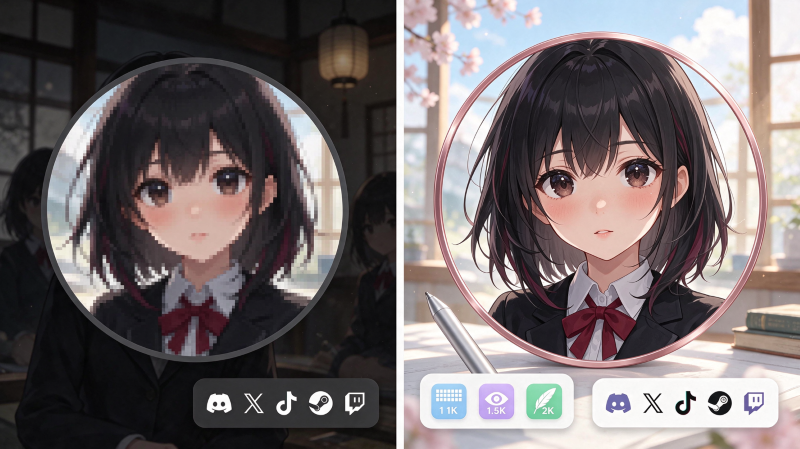
Crisp 2K Avatars Built for Discord, X, TikTok & Gaming Profiles
Blurry, pixelated icons ruin a great profile. Export your finished anime PFP in sharp 1K, 1.5K, or 2K resolution so every eye highlight and fabric detail stays clean—even when cropped into small circular avatars on Discord, X, TikTok, Steam, or Twitch.
How to Make an Anime PFP in 3 Simple Steps
Step 1 – Enter a Prompt or Upload Reference Photos
Describe your character's hair, outfit, expression, and background in the prompt box—up to 5,000 characters. Want to base the avatar on your own selfie or existing artwork? Upload up to 10 reference images (JPG, PNG, or WebP, max 4.7 MB each) to guide the result
Step 2 – Pick Your Avatar Style and Resolution
Browse 8 built-in styles—including Classic Anime, Chibi Cute, Cyberpunk Neon, Ghibli Warm, 90s Retro, Dark Gothic, Watercolor, and Pixel Art—and click the one that fits your vibe. Then choose between 1K, 1.5K, or 2K resolution depending on how sharp you need your icon to be.
Step 3 – Generate and Download Your Custom Avatar
Hit Generate (4 credits per run) and watch your custom anime profile picture appear in seconds. Download the high-resolution file and upload it straight to Discord, X, TikTok, Steam, or any gaming profile.
Frequently Asked Questions About Our Anime PFP Maker
Can I create an anime PFP from text without uploading a photo?
Yes. You can generate an anime profile picture purely from a text description—simply type up to 5,000 characters describing your character's hair, outfit, pose, and mood, pick a style, and hit Generate. Uploading reference photos is completely optional.What photo formats are supported, and how many images can I upload?
ou can upload up to 10 reference images at once in JPG, JPEG, PNG, or WebP format, with each file up to 4.7 MB. Using multiple photos helps the AI blend specific facial features, hairstyles, or color palettes into a consistent anime avatar.Which anime styles are included in the Anime PFP Maker?
You can choose from 8 distinct presets: Classic Anime, Chibi Cute, Cyberpunk Neon, Ghibli Warm, 90s Retro, Dark Gothic, Watercolor, and Pixel Art. Each preset automatically handles linework, shading, and color grading so you don't have to write complicated style prompts.What resolution options are available for my anime avatar?
You can export your avatar in 1K, 1.5K, or 2K resolution. Even at 1K, your icon looks sharp on mobile screens, while 2K gives you extra clarity for desktop banners, circular Discord and X profile crops, or high-DPI displays.How much does it cost to generate an anime PFP?
Each generation costs 4 credits and produces a custom high-resolution avatar in seconds. New users can try AICharalab with starter credits before topping up additional credit packs whenever needed.Can I use my generated anime PFP on social media or for my channel?
Yes. You are free to use your generated anime profile pictures across Discord, X, TikTok, YouTube, Twitch, Steam, and personal branding profiles. Just make sure any reference photos you upload belong to you or that you have permission to use them.